
How to find trainees who require training (expired or untrained)
To see who needs training, go to the Trainees page and use the Training Status filter.
The Trainees page
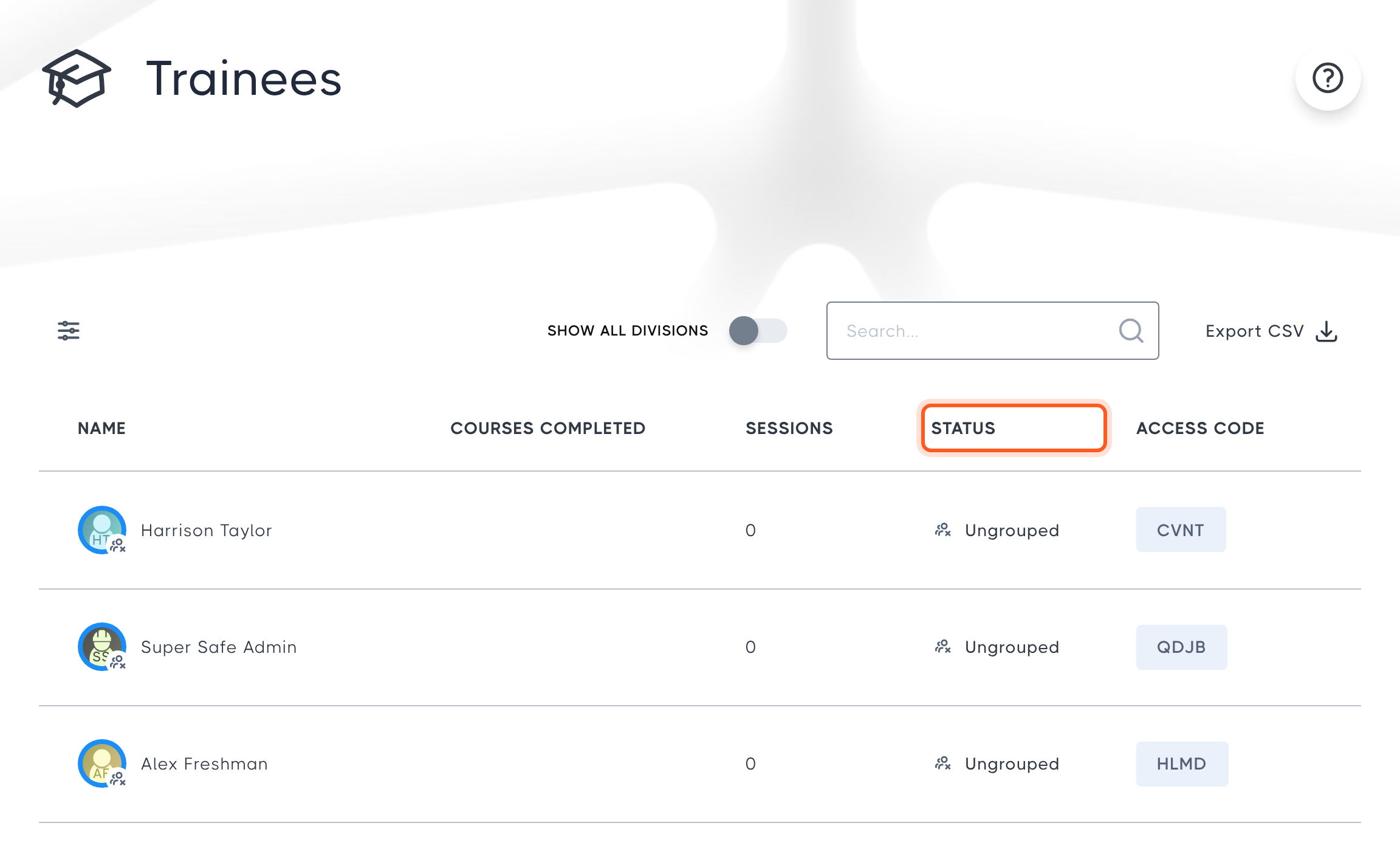
The Trainees page shows all of your division's trainees, along with the courses they have completed, their number of sessions, their training status and their access code.
Filter by status
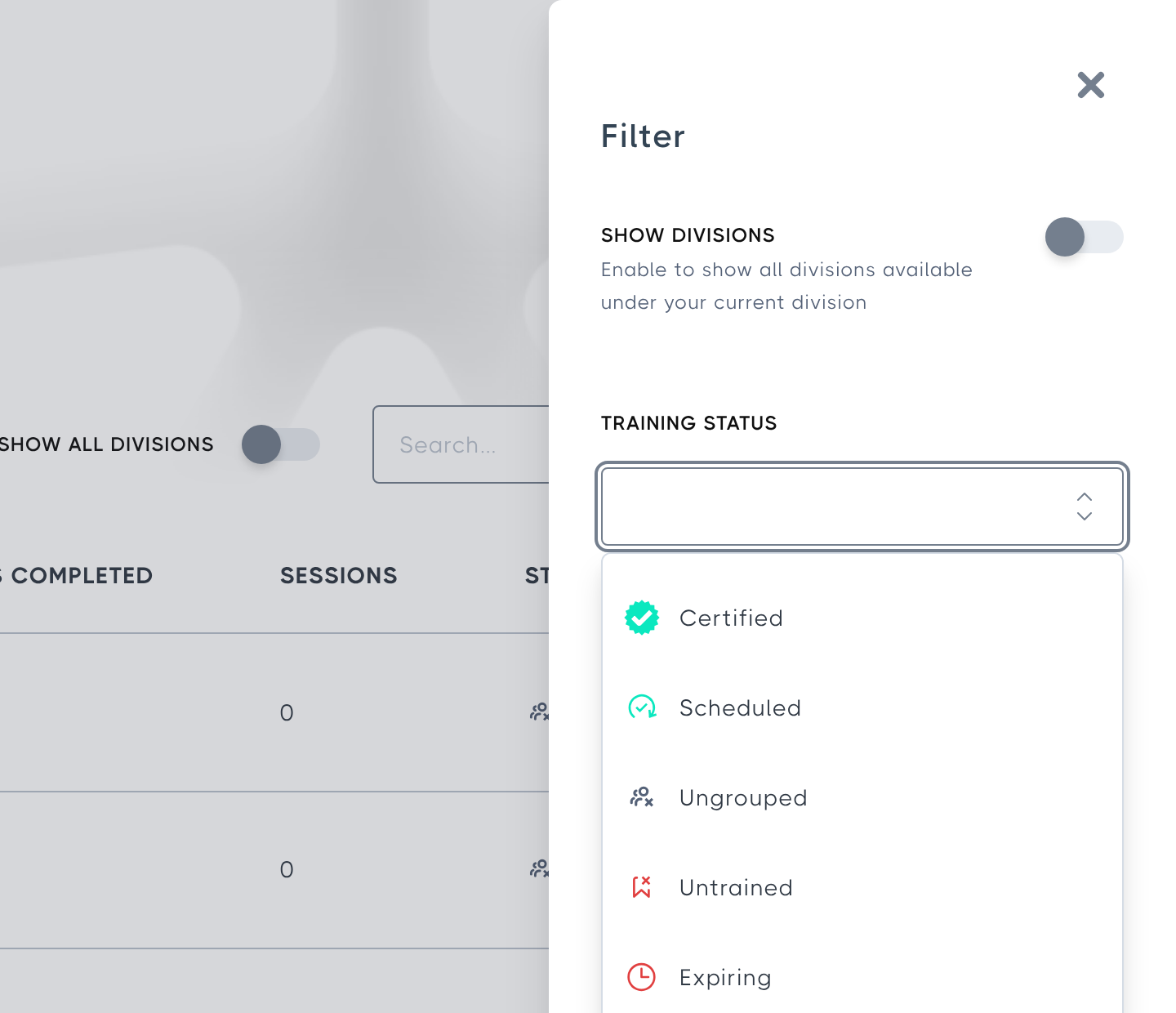
To find out who has expired or untrained training, select the filter icon at the top-left of the table, then choose the status you want from the Training Status list, for example Expired or Untrained. The list only shows statuses that at least one of your trainees currently has.
Sort by status
Trainees are sorted by training status by default. Select the STATUS column header to sort by status yourself, and select it a second time to reverse the order.
For an explanation of each status, see Training States: How to tell what stage an employee's training is at.
No Comments