How to find insights from the training undertaken on your headset
UpdatingIf screenshots..you or your trainees have completed training on a headset, you can view the results and course reporting in the Next World Platform Portal.
Head to the Next World Platform Portal
Go to https://nwxr.app and log in. For help logging in, see How to access the Next World Platform Portal.
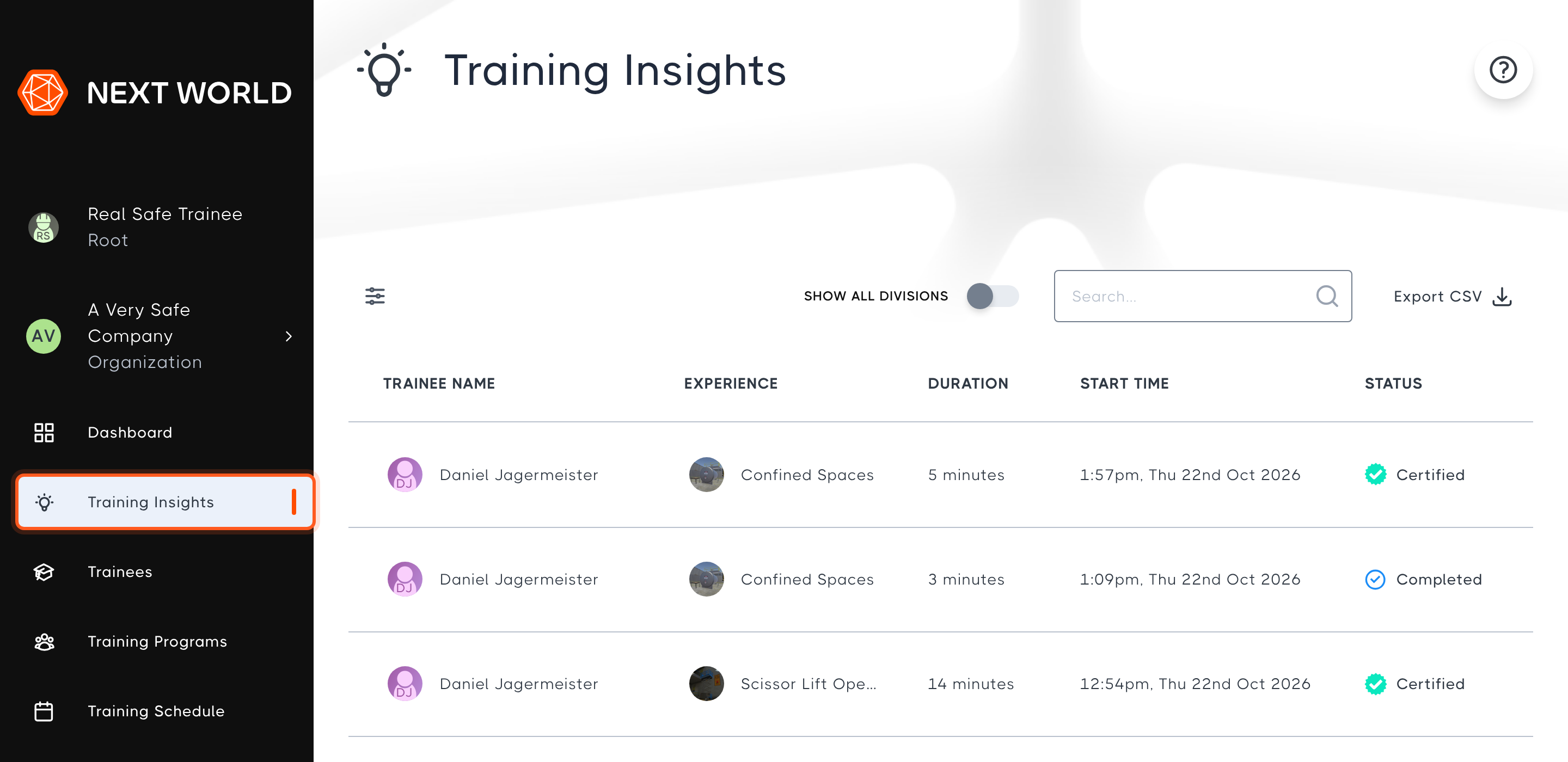
This shows a list of the training sessions completed on all of the headsets in your division, with the most recent first.
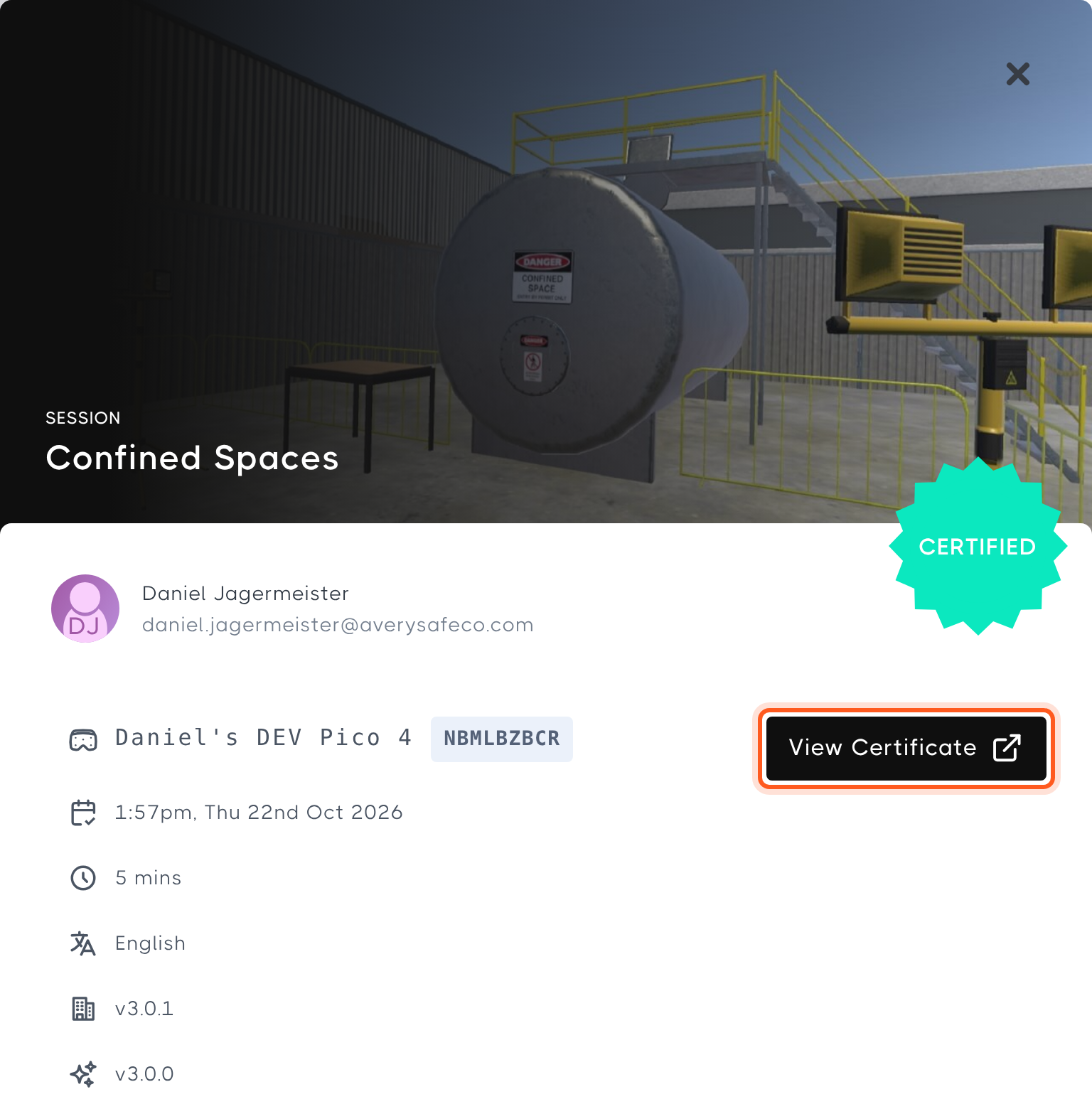
Select a session to view its results, including who completed it, which headset was used, when it started, how long it took and the completion certificate.
For more detail on the Training Insights page, see Finding training insights and data.
If you can't find your session
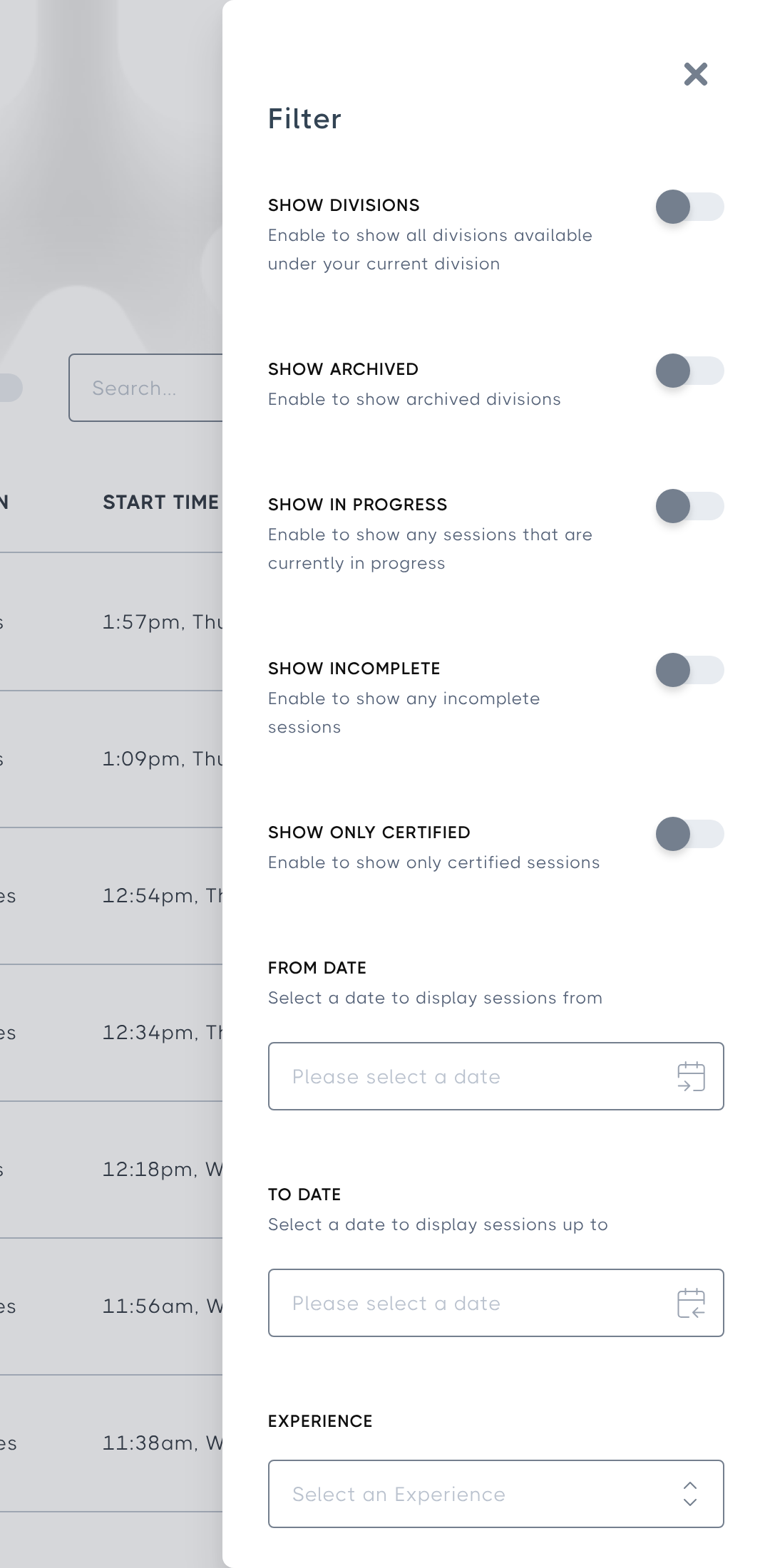
- If the trainee belongs to a subdivision, turn on Show All Divisions above the table to include sessions from your subdivisions.
- Select the filter icon at the top-left of the table and turn on Show In Progress or Show Incomplete to include sessions that weren't finished.
- Check that the headset is connected to the internet, so the session results can upload to the Portal.