
Finding training insights and data
One of the most valuable parts of VR safety training is the ability to collect each trainee's session data and analyse it, giving a much more in-depth insight into their learning. The Training Insights page lets you review your trainees' results whenever they complete a course.
How to access training insights
Select Training Insights in the left-hand menu. This brings up a list of the training sessions completed by trainees in your organisation, showing the trainee, experience, duration, start time and status of each session.
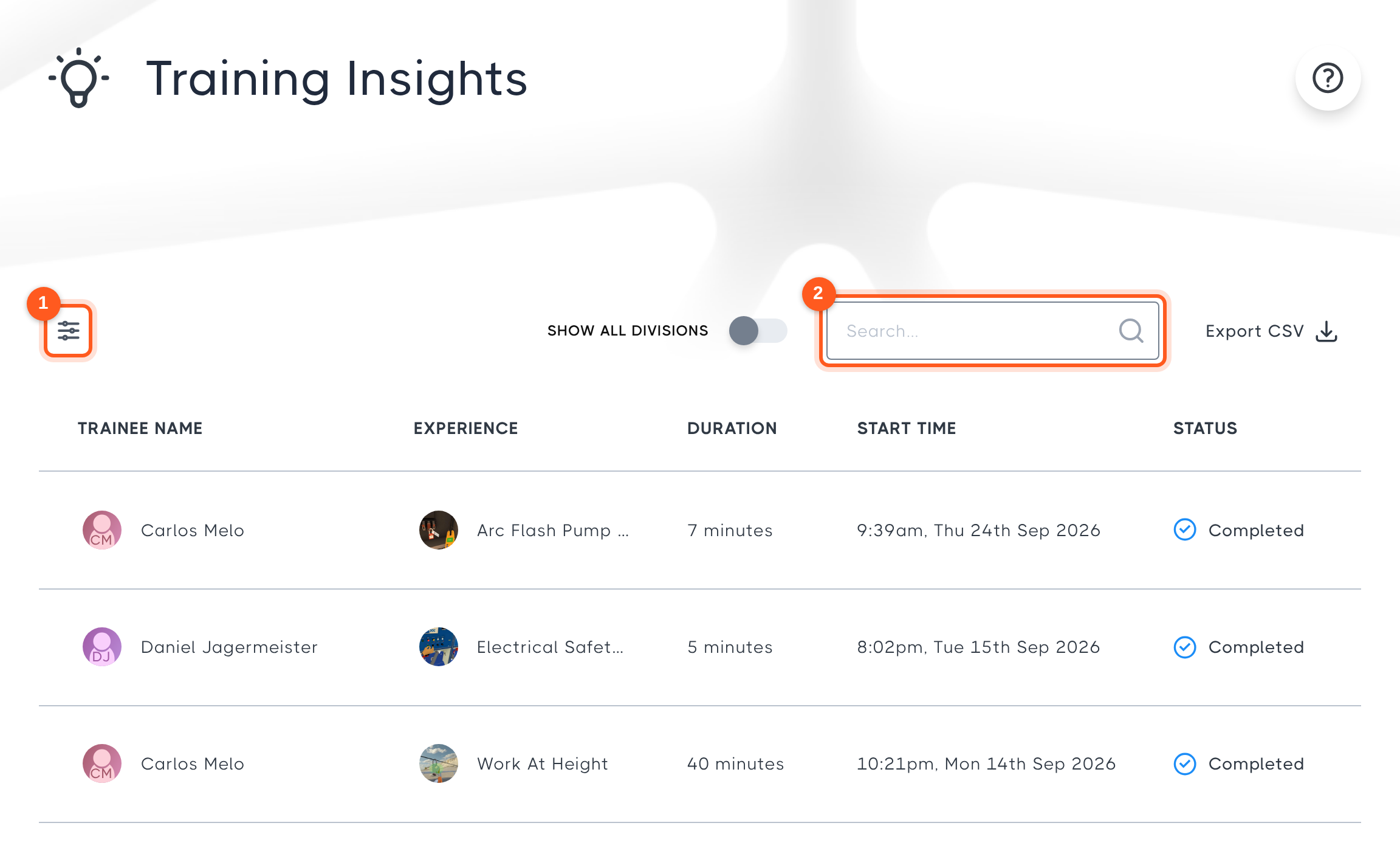
Sessions are sorted with the most recent first. You can:
- Select the filter icon to filter sessions by date range or experience, or to include sessions from your divisions, archived divisions, in-progress sessions or incomplete sessions. You can also choose to show only certified sessions.
- Use the search bar to find a particular trainee.
Select a session to view its results.
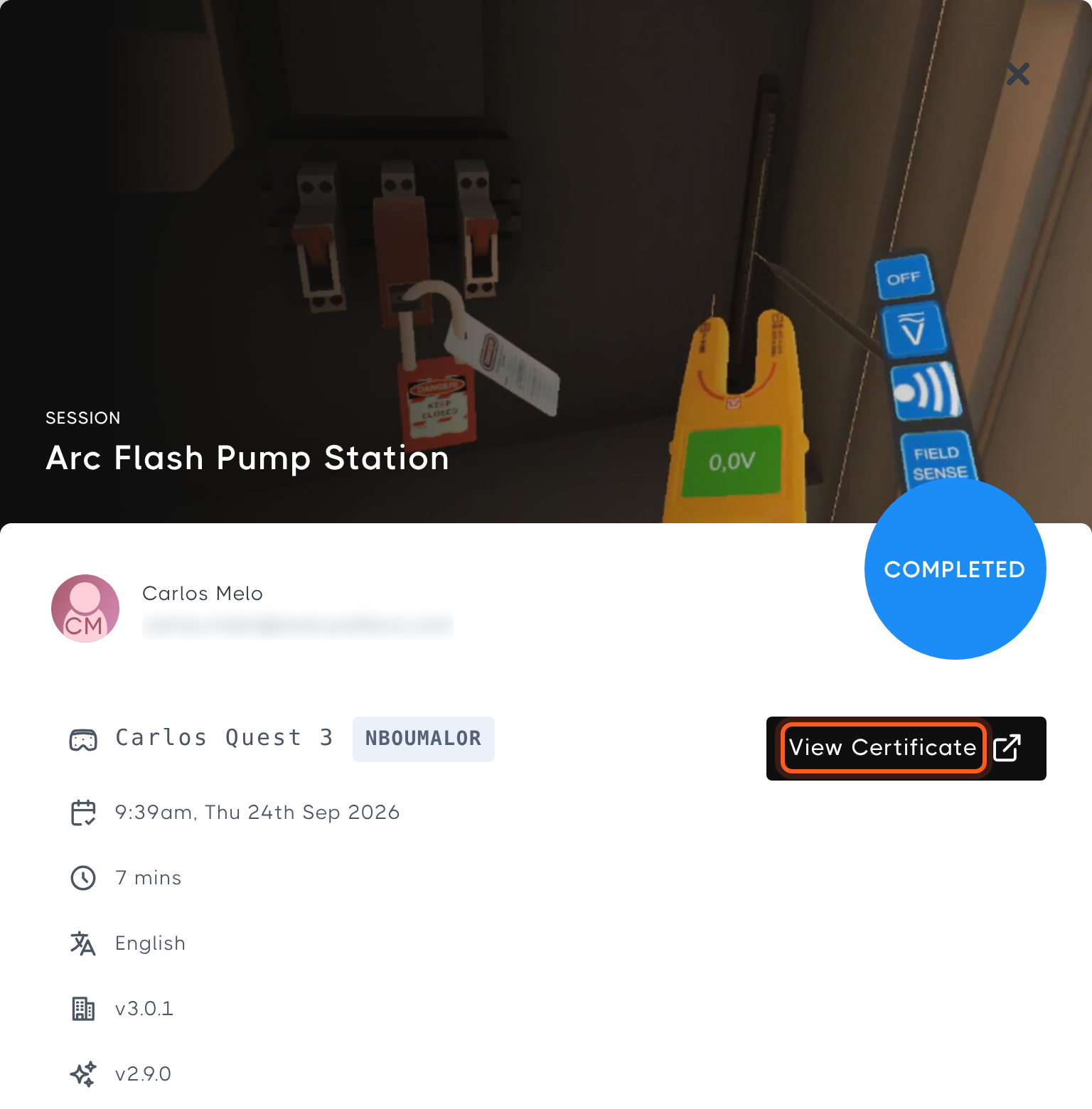
The session results show who completed the course, which headset they used, when the session started and how long it took, the language used, and the Hub and course versions. Select View Certificate to open the trainee's completion certificate.
For experiences that include training analytics, the session results also give you an in-depth look at how the trainee performed during the course, and how they compare with others in your organisation and globally.