# Setting up your headset
The device management page under the **Admin** tab allows you to add and edit the VR Headsets licenced to your organisation. Registering your device here allows access to the Next World course library within the headset.
To add a new device, you must have administrative privileges within your organization. If you cannot add a device, please contact **** with the Device ID and we can register it for you.
####
How to add a new device
Navigate to **Admin** > **Devices** to show you a list of existing devices. Click on the **Create New** icon in the bottom-right to add a new device.
Start by inputting the device's unique ID into the **Device ID** field. You can find the device's unique ID by putting on the headset, it will display the unique ID.
[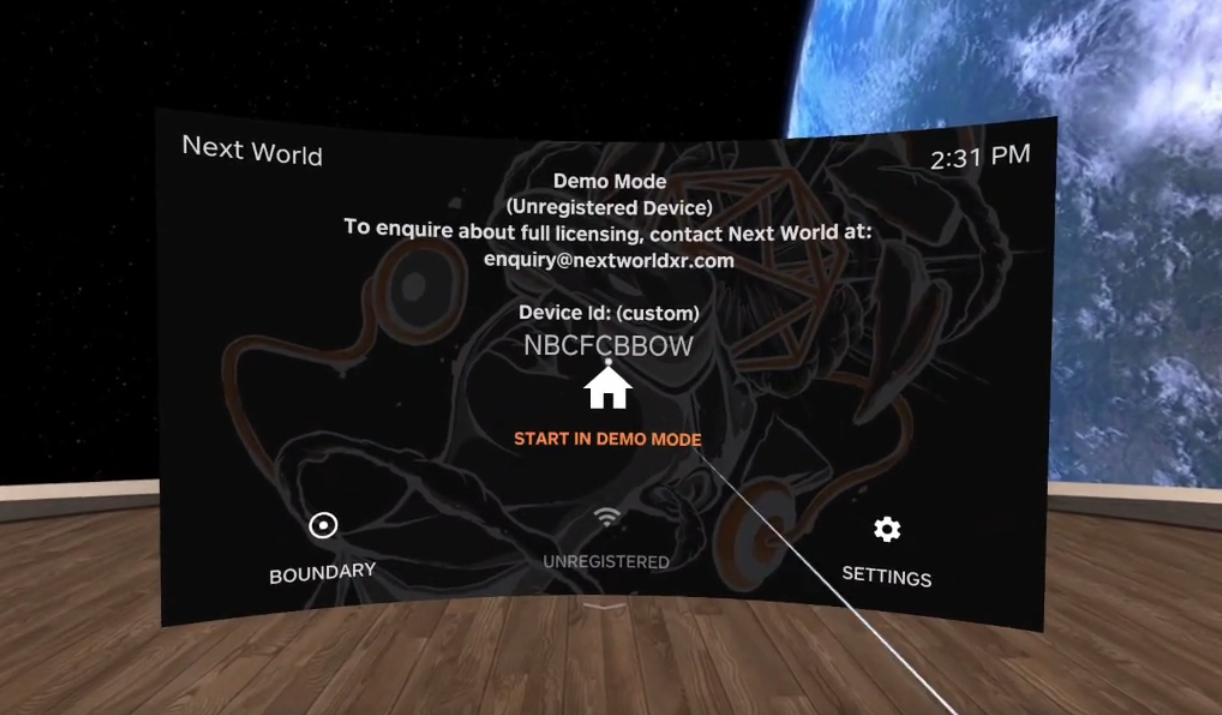](https://docs.nwxr.app/uploads/images/gallery/2024-07/2-6-5-article-1st.png)
You can also add an **Alias** as a name for your device. This is not required, but recommended for your future reference. Lastly, choose the company/division you wish to assign this device to. Select **Add Device** to confirm and add your device.
[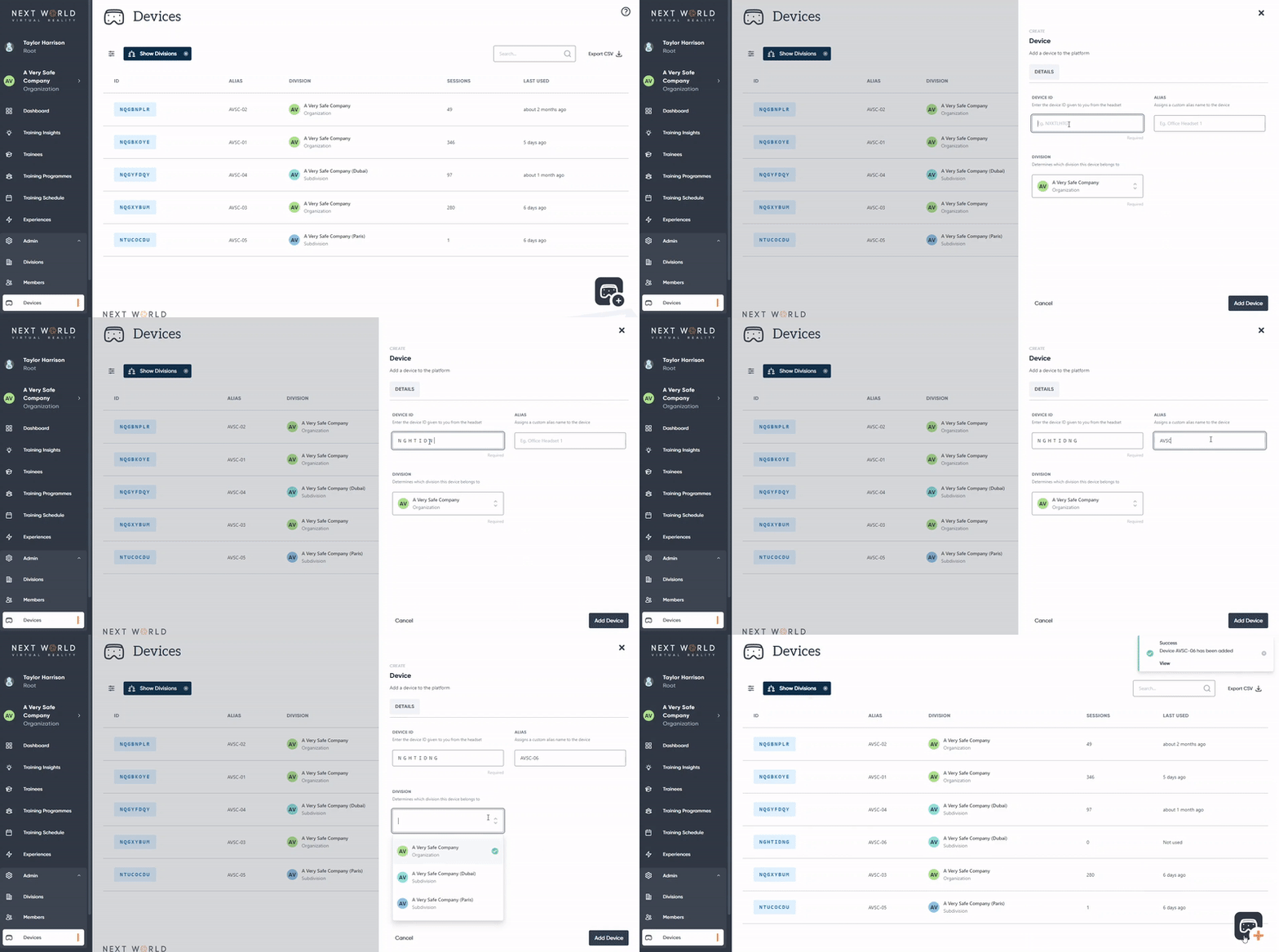](https://docs.nwxr.app/uploads/images/gallery/2023-05/ezgif-com-video-to-gif-14.gif)
Once done, you will be able to access the Next World software from your device.
Since you have added new information to the platform, your headset will need to be connected to the internet to synchronise this data.
####
How to edit or remove a device
Navigate to **Admin** > **Devices** to show a list of existing devices. Click on the device you would like to edit. From here, you can change the device's alias and division.
To remove the device, select **Archive.**
Archiving a device is permanent and cannot be undone. This will result in your being unable to access the course library from that device ID.
####
FAQ
**Q. I registered my device but it is not updating on the headset**
A. Make sure your device is connected to a stable internet connection so the new data can synchronise.