# How to change or reset your password
Forgotten your password? This article shows two methods to change your password.
#### Resetting your password from the login screen
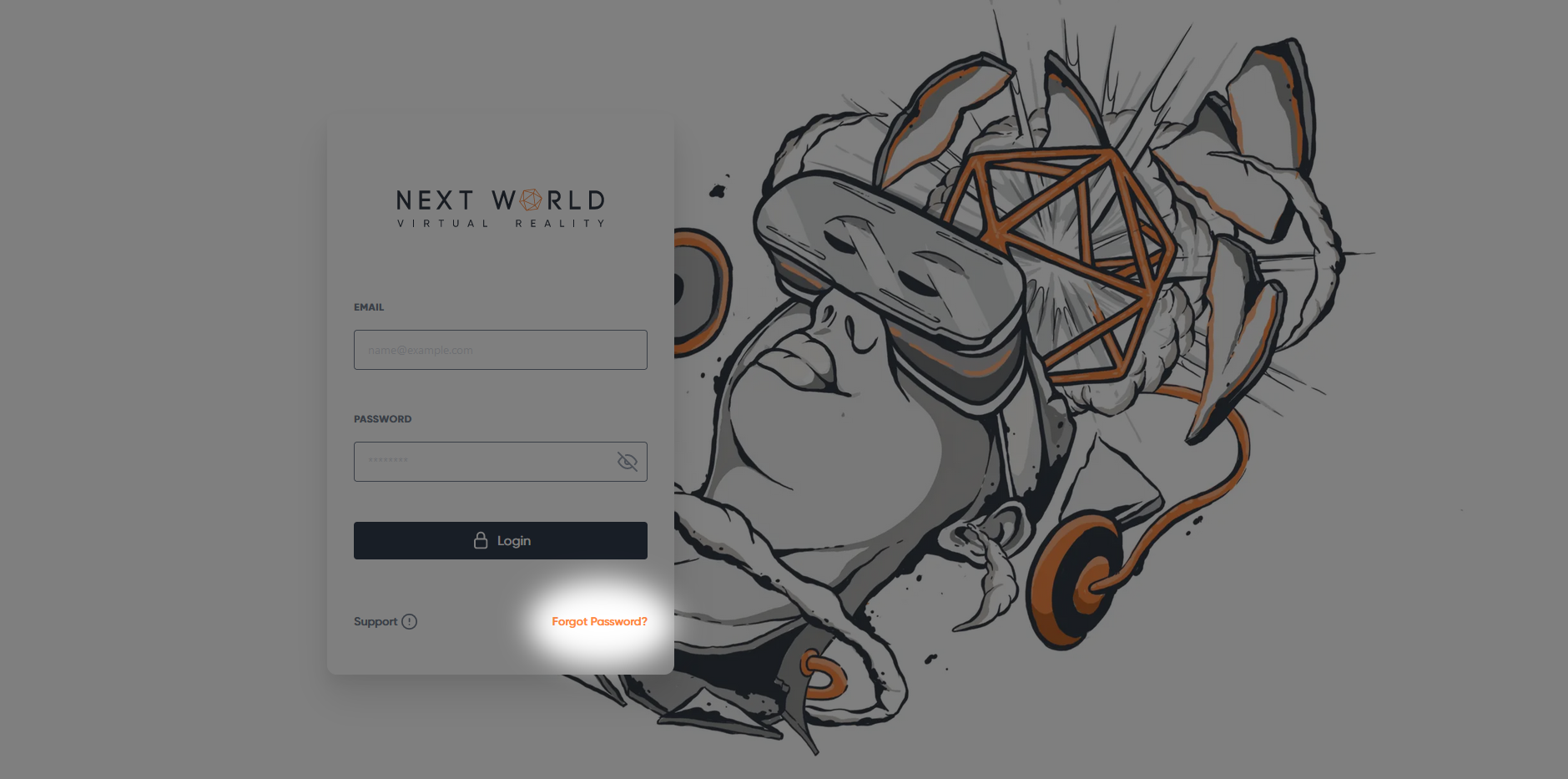
From the Login Screen, select **Forgot Password?** in the bottom right-hand corner of the Login box.
[](https://docs.nwxr.app/uploads/images/gallery/2023-04/PiTimage.png)
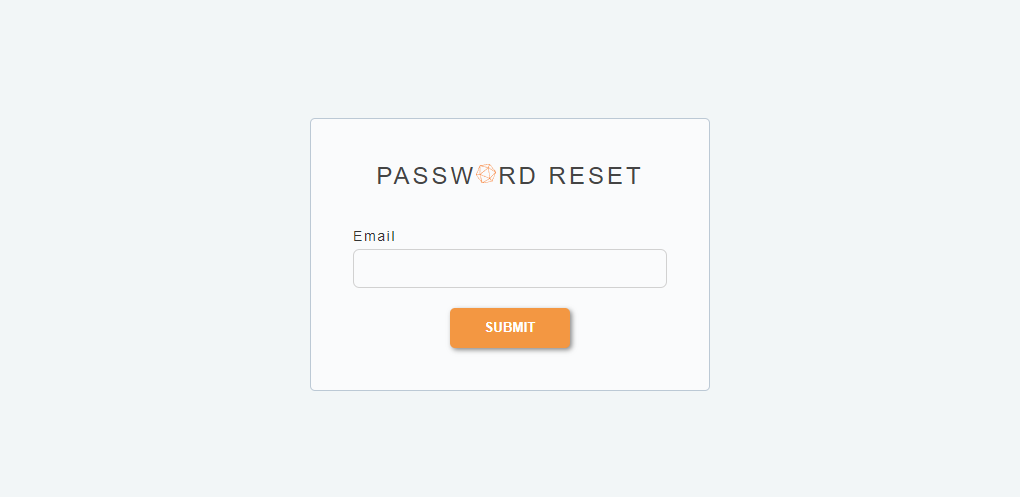
You will be redirected to the Password Reset Request Form. Enter the email for your account and select **Submit**.
[](https://s3-ap-southeast-2.amazonaws.com/aus-cdn.freshdesk.com/data/helpdesk/attachments/production/51043233178/original/0aJ3pUOSVdj4s6NWKt4zyRAkAVrUDo_eIg.png?1646873450)
You will receive an email with instructions on how to reset your password.
####
Resetting a password from the Portal
You can also reset your password or a member in you organization's password from within the portal.
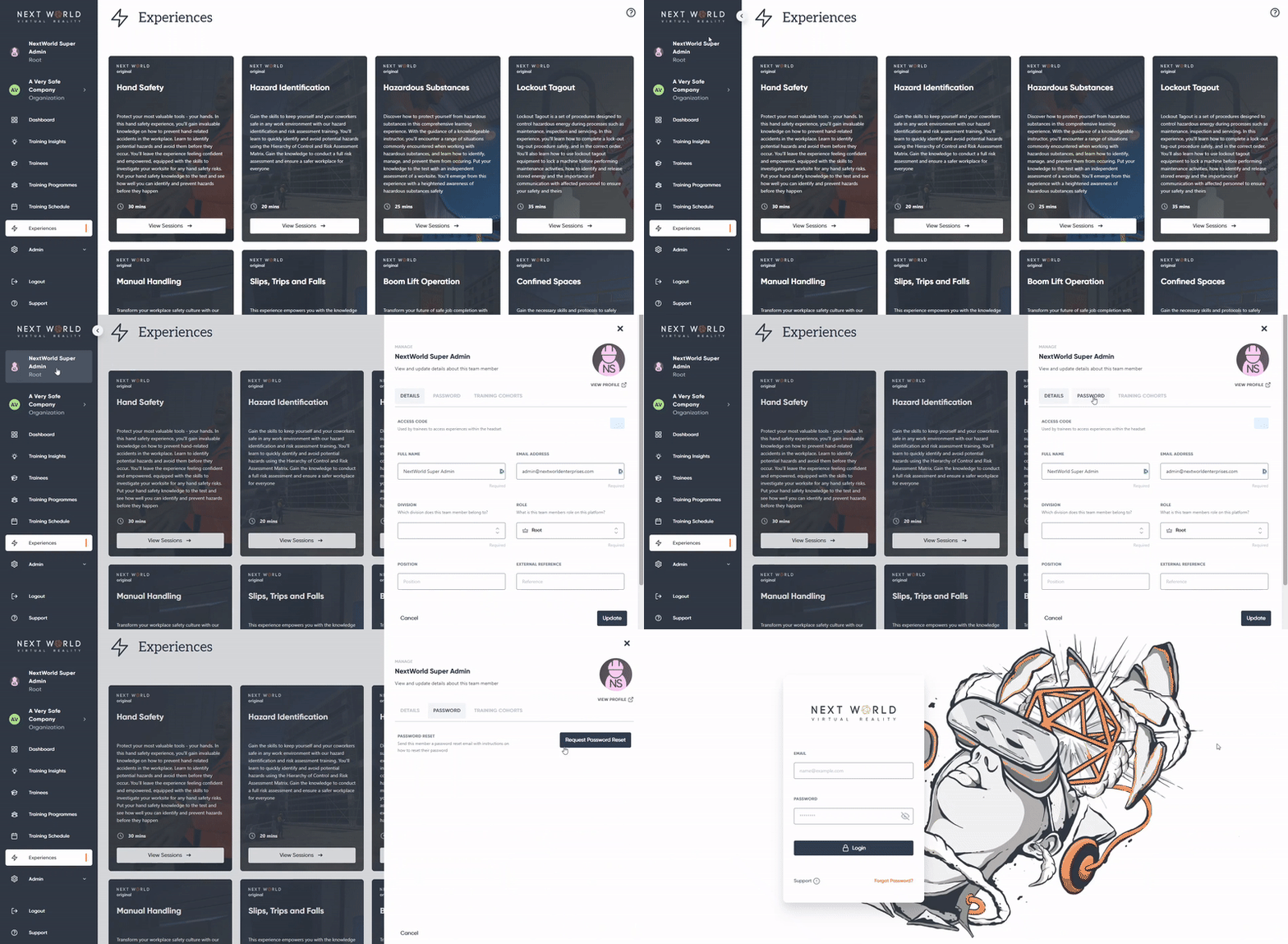
To reset your own password, click on your name at the top of the navigation bar to open your profile > click on the **Password** tab > select **Request Password Reset**.
[](https://docs.nwxr.app/uploads/images/gallery/2023-04/ezgif-com-video-to-gif-6.gif)
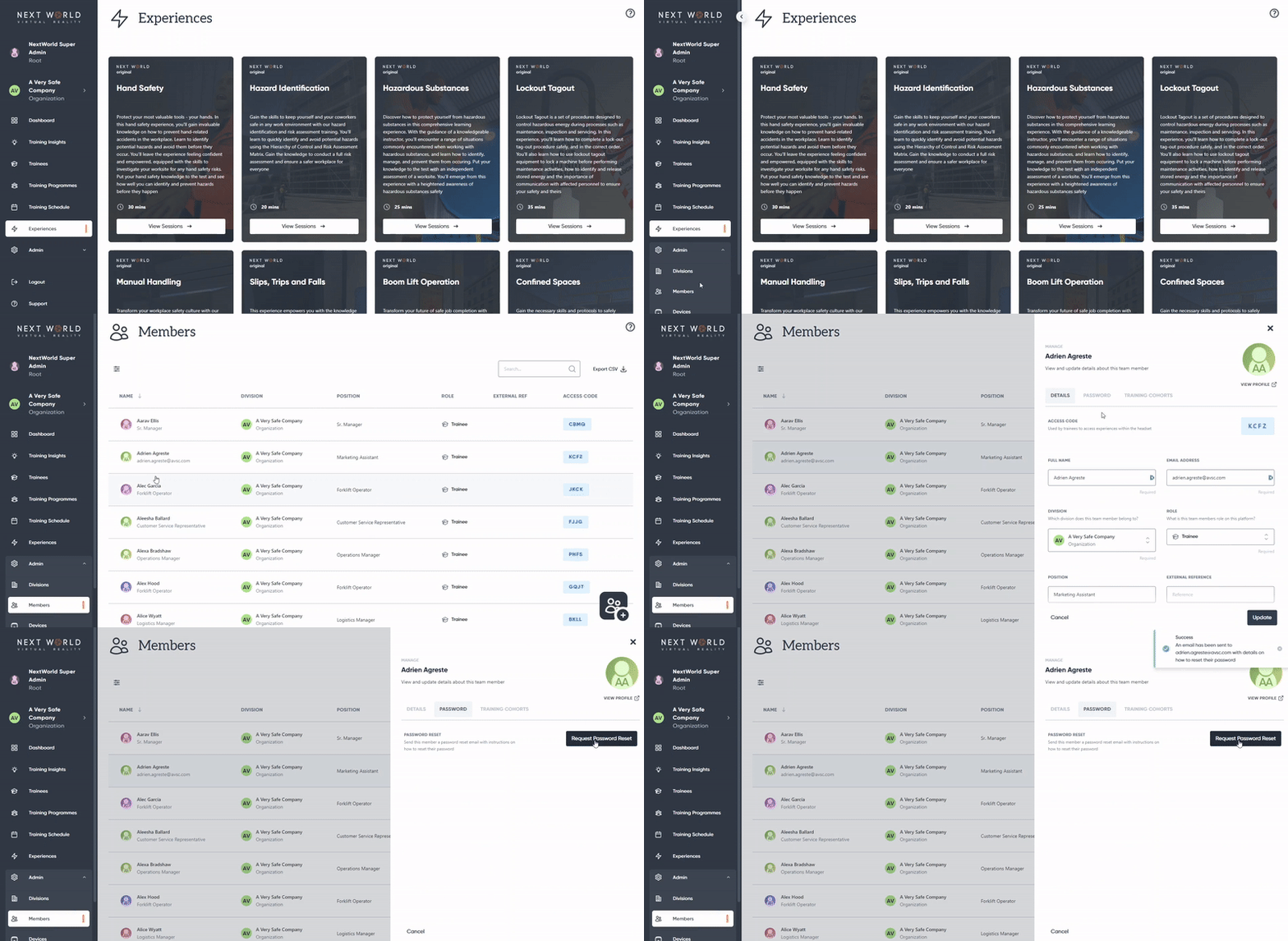
To reset the password of another member, go to **Admin** > **Members** > select the desired member > click on the **Password** tab > select **Request Password Reset**.
[](https://docs.nwxr.app/uploads/images/gallery/2023-04/ezgif-com-video-to-gif-8.gif)
Once you select **Request Password Reset**, an email will be sent to the user with instructions on how to reset their password.