# How Do I Find My Meta Device's MAC Address
*Your IT department may request you to find the MAC address of the Meta device you use. In this case, it is reasonably easy to view it to then pass along to your IT department.*
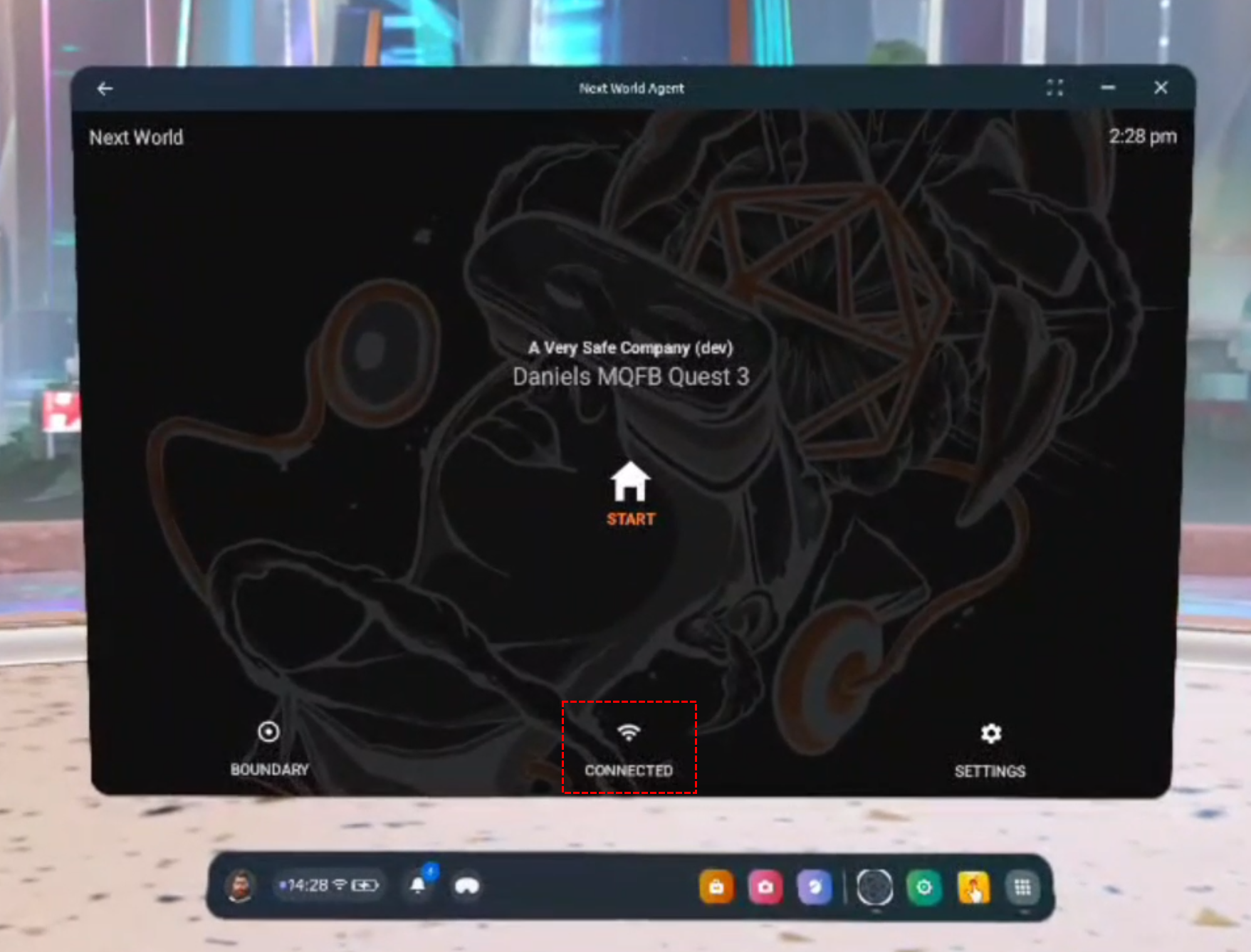
1. Within Next World Agent on the headset, click on the connection button down the bottom.
[](https://docs.nwxr.app/uploads/images/gallery/2025-01/1.png)
2. A list of Wi-Fi connections will appear, click on the one your device is connected to.
[](https://docs.nwxr.app/uploads/images/gallery/2025-01/2.png)
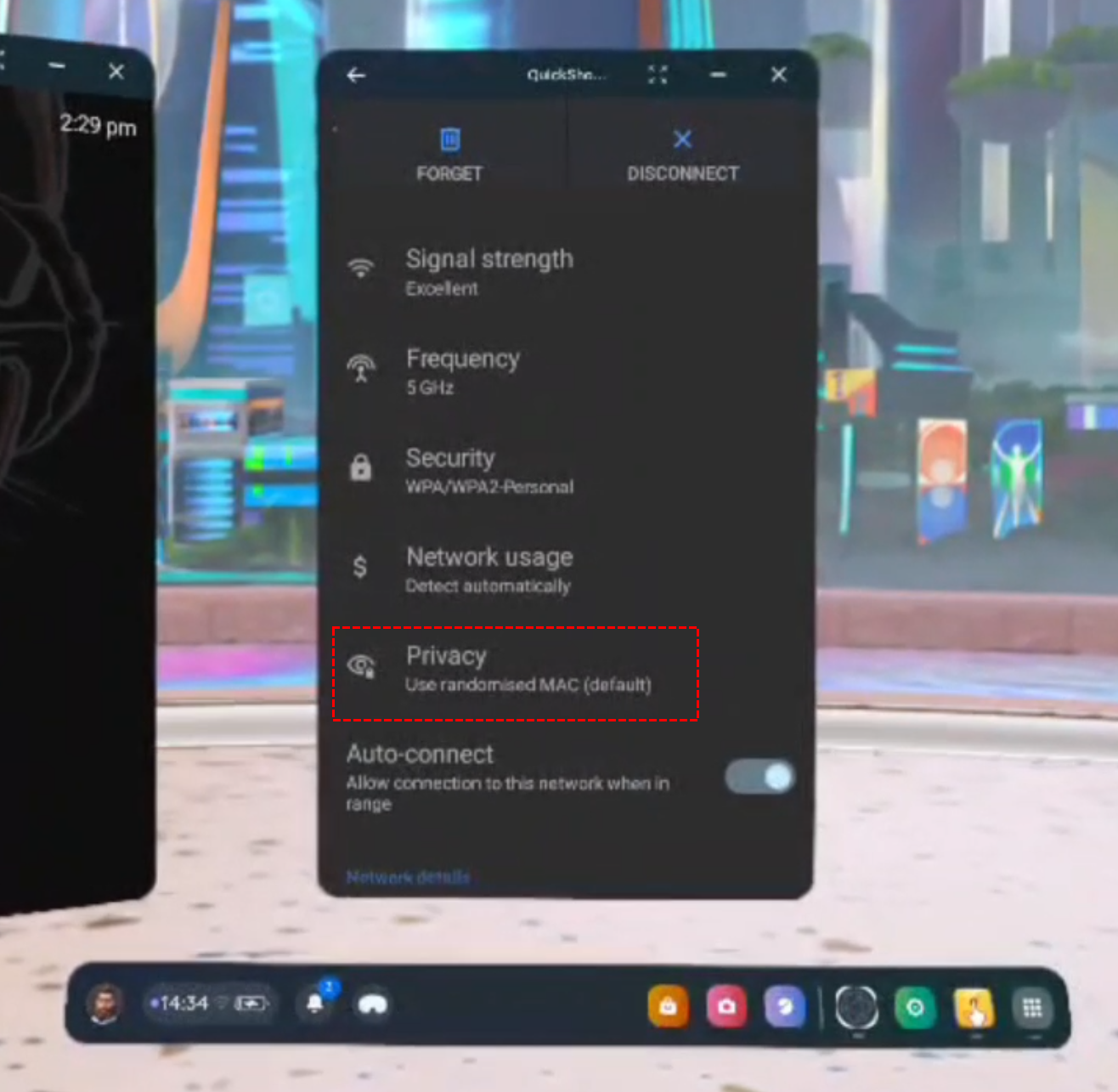
3. Scroll down until you see an option titled 'Privacy'. If it says **Use randomised MAC (default)** then continue to step 4, otherwise if it says **Use device MAC** then skip to step 5.
[](https://docs.nwxr.app/uploads/images/gallery/2025-01/3.png)
4. Clicking on the **Privacy** option highlighted above, a small menu will appear as shown below. Select **Use device MAC**.[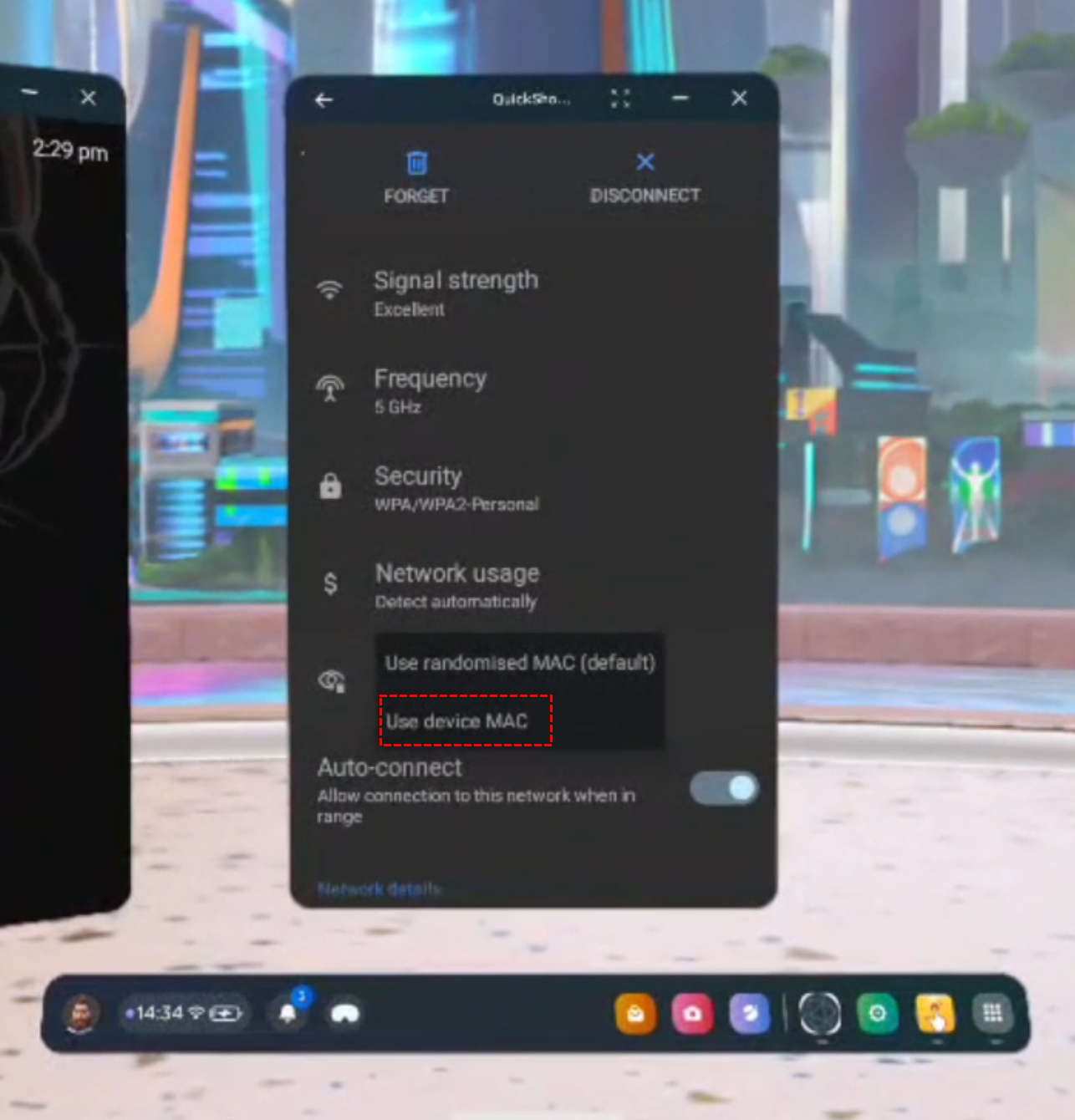](https://docs.nwxr.app/uploads/images/gallery/2025-01/4.png)
[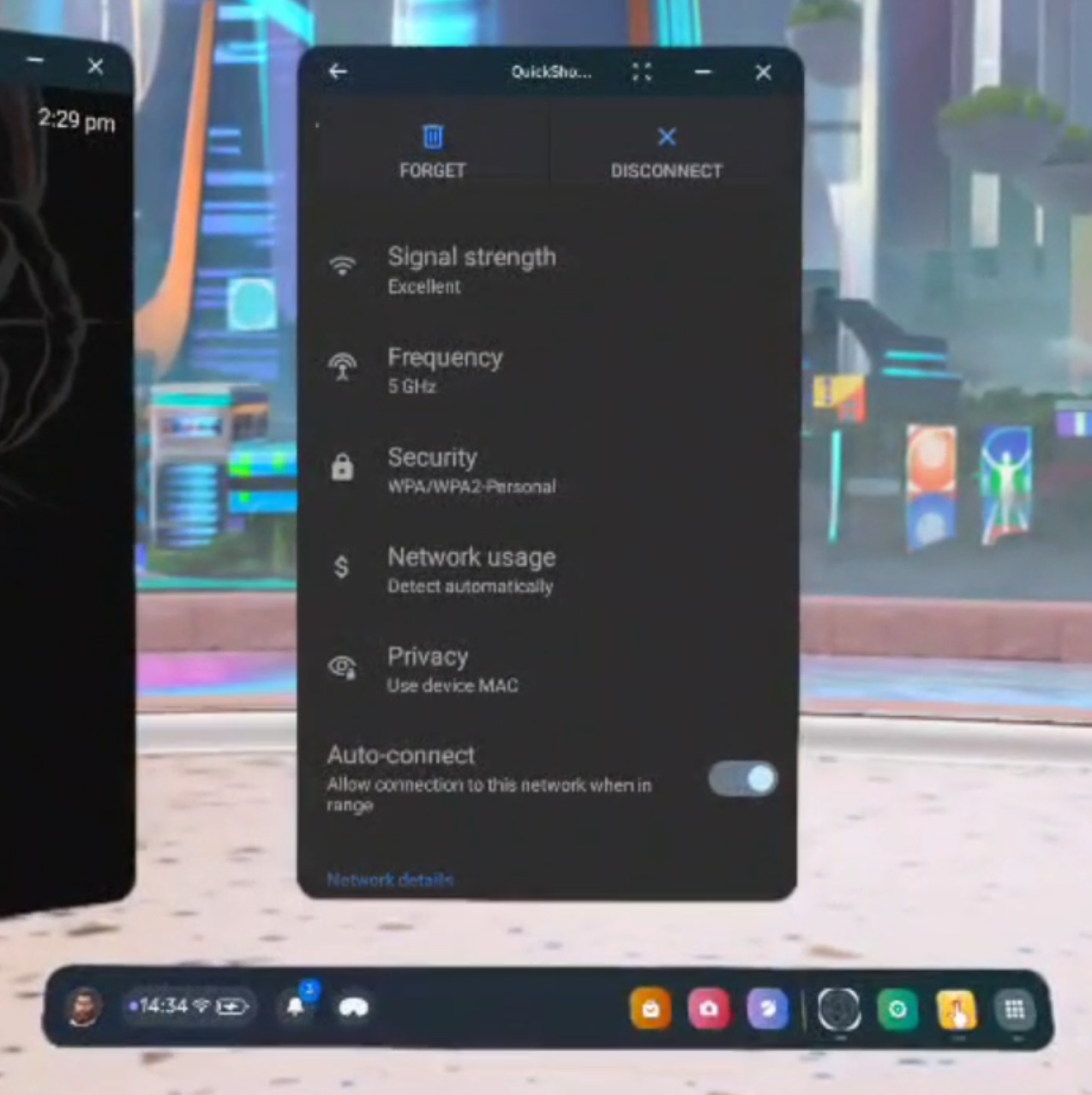](https://docs.nwxr.app/uploads/images/gallery/2025-01/5.png)
5. Now scroll down until you see an option that says **Device MAC address**. on the line below the title you will see a MAC address, for example in the below image the device's MAC address is **c0:dd:8a:3f:1a:40**.[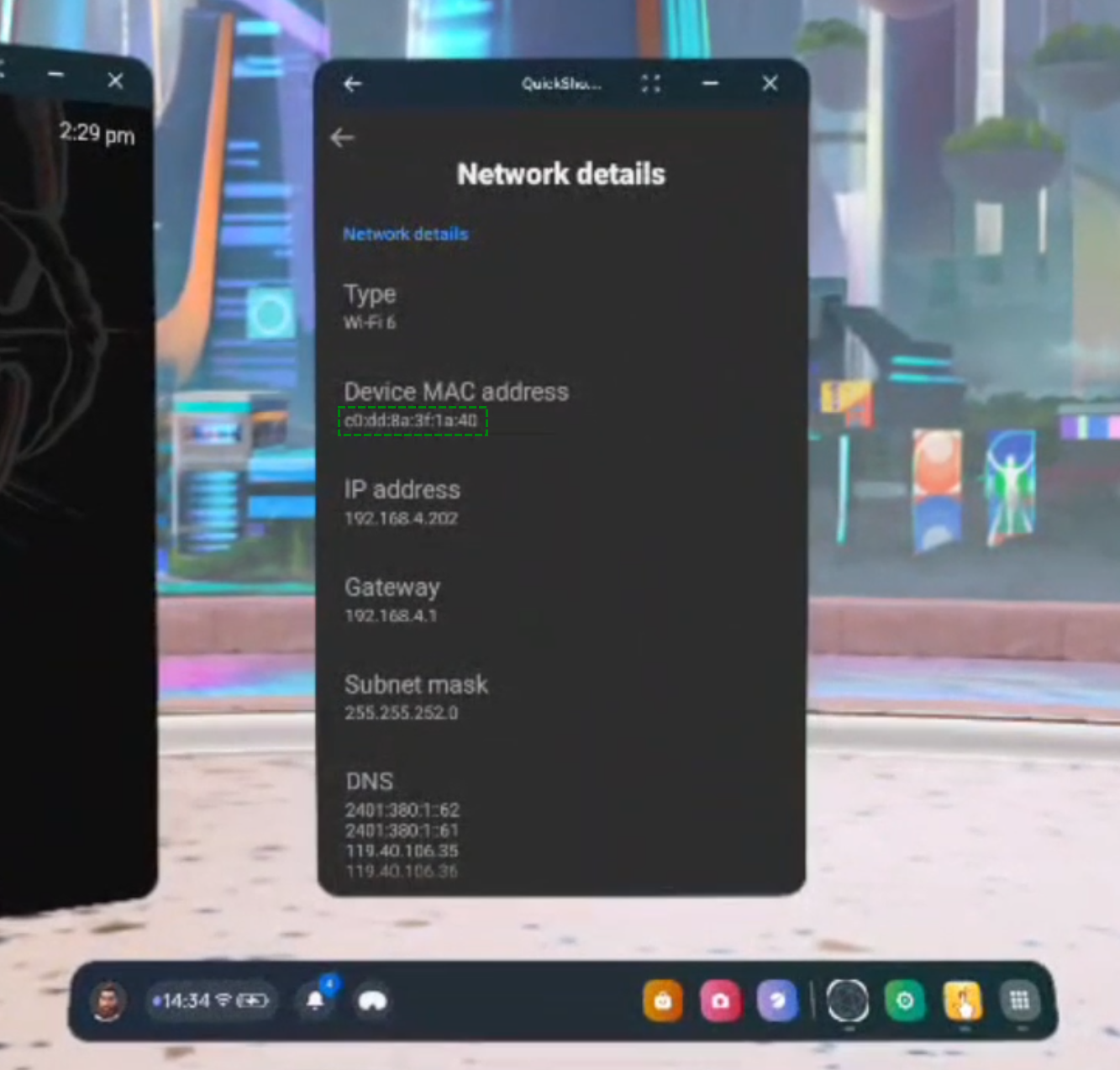](https://docs.nwxr.app/uploads/images/gallery/2025-01/6.png)
Success! Take note of your device's MAC address to send to the relevant people.